Install Fillet
Download Fillet from the Mac App Store so macOS can offer it as a file-opening option.
A small macOS utility
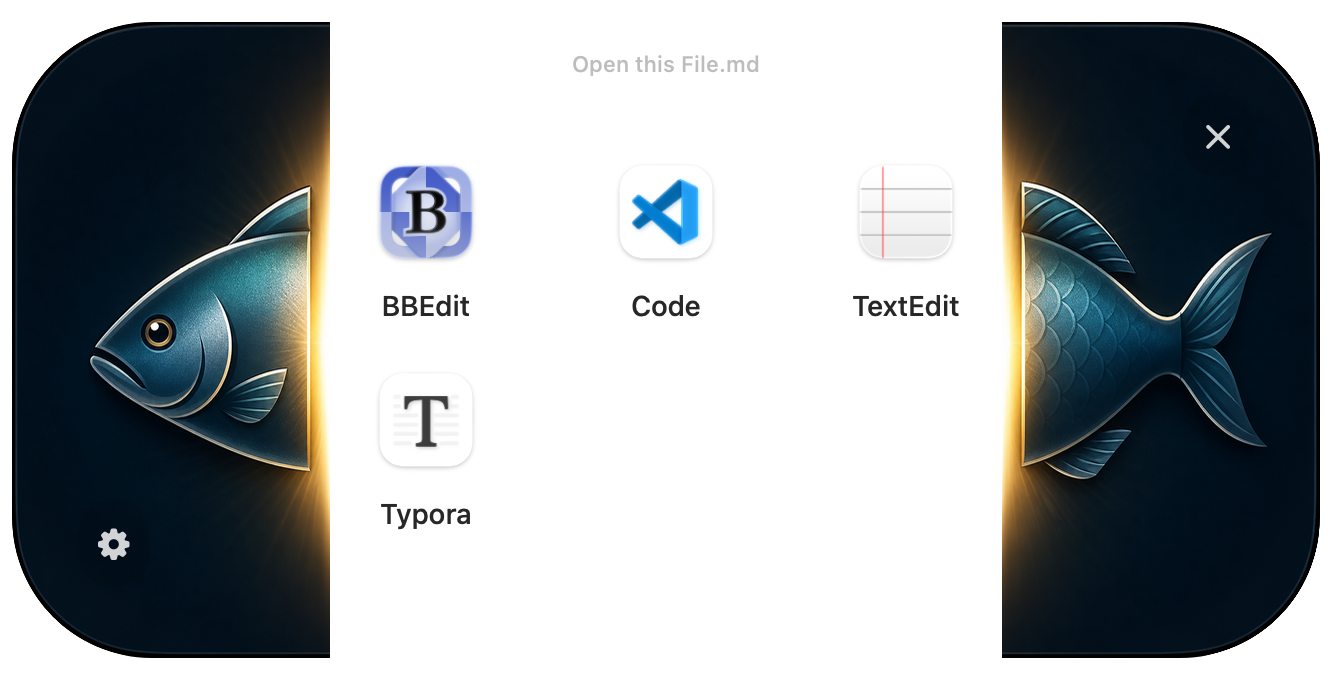
Choose the right app at the moment you open a file. Fillet sits between Finder and your Markdown or JSON editor, showing a quiet picker instead of sending every file to the same default application.

What it does
Some files do not have a single obvious home. A Markdown file might belong in a notes app, a code editor, a writing tool, or a previewer. A JSON file might need inspection, editing, validation, or quick reference. Fillet gives those moments a small, centered chooser so the right application is a click away.
See the file name and detected file type before anything opens, so you know exactly what is about to move.
Pick from macOS suggestions or your saved app list for that file type, without changing your mind permanently.
Configure different choices for Markdown and JSON, then let Fillet remember the short list you actually use.
How to use it
Download Fillet from the Mac App Store so macOS can offer it as a file-opening option.
In Finder, select a Markdown or JSON file, open Get Info, choose Fillet under Open with, and apply it to that type.
Double-click the file. Fillet appears with the file details and the available applications.
Click an app to open the file there, or use Settings to add and remove saved choices for the current file type.
FAQ
Fillet is intentionally small: it does not edit your files, sync them, or replace your tools. It helps you choose the right tool at the right moment.
Fillet currently declares support for Markdown files, including .md and .markdown, plus JSON files.
No. Fillet is a chooser. It confirms the file and file type, then opens the file in the application you select.
Press Esc or click the close button in the picker. Fillet closes and leaves the file untouched.
Yes. Fillet saves application choices per detected macOS file type, so Markdown and JSON can each have their own shortlist.
No. The supplied app materials describe Fillet as local-only, with no tracking, collected data, tracking domains, or networked file handling.

Works with Actium
Fillet can work alongside Actium to recognise files with annotations and make Actium part of the opening decision. Instead of treating every Markdown or JSON file the same way, Fillet can surface Actium when the file carries context that belongs there.
When a file includes Actium-readable annotations, Fillet can identify that extra context before the file is opened.
Actium can be offered as an optional destination, letting annotated files move straight into the application that understands them.